


ADZENCLICK
ADZENCLICK
The device that blocks your most distracting apps.
Couldn't load pickup availability

ADZENCLICK
The best solution to stop wasting time on screens
Use our free app on iOS and Android to silence distracting apps, create custom focus modes, and see where your time really goes.
Easy to use
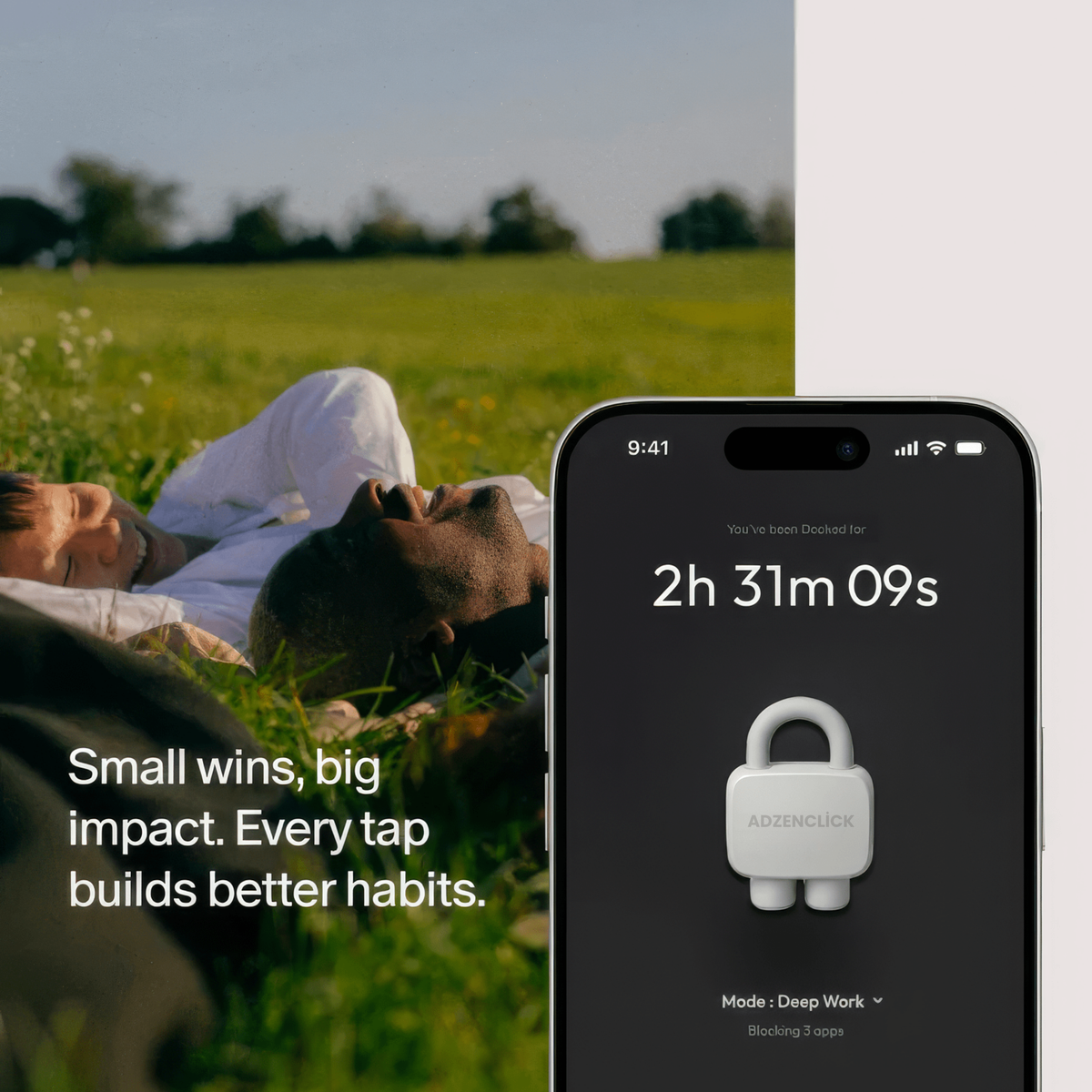
Select the apps you want to block. Then simply tap your phone on the device to block them.
No way to regain access unless you tap the device again.
Need urgent access and don’t have the device with you?
Use an emergency unlock, available a limited number of times per month.
Feel the Difference in 24h
You’ll immediately notice fewer phone unlocks, because you’re now using your phone with intention — not out of habit or unconscious screen addiction.


How does it work?
Step 1 : Choose apps to block
Step 1 : Choose apps to block
Open the Adzenlick app and choose which apps or websites you want to block.
Prefer the opposite? You can instead select which apps to keep accessible - all other apps will be blocked.
You can create multiple custom modes for different parts of your day like Work, Family Time, or Study. Each mode has its own set
of blocked apps.
Step 2 : Tap your ADZENCLİCK with your phone
Step 2 : Tap your ADZENCLİCK with your phone
Once you've selected a mode, tap your phone to the Adzenclick to activate it.
Or, if you're not near your Adzenclick, tap and hold the Brick button in the app to enable Brick Mode from anywhere.
The moment you connect to Adzenclick, a timer starts and helps you track your focus time.
Step 3 : Get free of distractions
Step 3 : Get free of distractions
Place your Adzenclick somewhere out of reach.
Because Adzenclick is a physical device - not just an app - it creates real friction.
To unblock your apps, you have to physically return to it, making the decision to reconnect an intentional one.
Step 4 : Tap again to access your apps
Step 4 : Tap again to access your apps
When you're ready, simply tap your phone to the Adzenclick again to regain access to your apps and websites.
Need emergency access? Each device includes 5 emergency undocks that you can activate in the app to regain access.
FAQs
How is ADZENCLİCK different from Apple’s or Android’s built-in parental controls?
How is ADZENCLİCK different from Apple’s or Android’s built-in parental controls?
Apple and Android’s built-in controls are software-based. In practice, they’re easy to override: one tap on “skip”, a quick setting change, and you’re back to scrolling.
ADZENCLİCK works differently. It introduces a physical step. To unlock your apps, you must intentionally tap your phone on the ADZENCLİCK again.
This small friction is powerful: it reinforces conscious choice. You still can access your apps when you truly need to, but when you don’t, you pause, reflect, and often decide not to.
This mechanism is backed by behavioral science: adding a physical action dramatically reduces impulsive behavior while preserving freedom.
Can’t I just uninstall the app or bypass the system?
Can’t I just uninstall the app or bypass the system?
We’ve all tried to outsmart our own limits , that’s exactly why ADZENCLICK exists.
ADZENCLICK includes a strict protection mode designed to prevent common workarounds, such as deleting the app or modifying key settings to disable restrictions.
The goal isn’t punishment, it’s consistency. ADZENCLICK closes the loopholes so your intention actually holds.
What’s included when I purchase ADZENCLICK?
What’s included when I purchase ADZENCLICK?
Your purchase includes:
- The ADZENCLICK physical object
- Full access to the ADZENCLICK app
There are no subscriptions, no hidden fees, and no paid upgrades.
Buy it once. Use it for as long as you want.
Can one ADZENCLICK be used with multiple phones?
Can one ADZENCLICK be used with multiple phones?
Yes. One ADZENCLICK can be paired with multiple phones if needed.
Likewise, a single phone can work with multiple DOCK objects, for example, one at home, one at work, or one in your car.
DOCK is designed to adapt to real life, not the other way around.
What happens if I lose my ADZENCLICK?
What happens if I lose my ADZENCLICK?
Life happens. That’s why the app includes a limited number of emergency unlocks.
If your ADZENCLICK is lost or temporarily inaccessible, these emergency options allow you to regain access to your apps.
They’re intentionally limited to preserve the effectiveness of the system.
Is my phone compatible with ADZENCLİCK?
Is my phone compatible with ADZENCLİCK?
ADZENCLİCK is compatible with:
- Android devices running Android 12 or later
- iPhones running iOS 16.2 or later
We’re continuously improving compatibility as operating systems evolve